Back in October 2023, both Google and Yahoo! announced requirements to send email to their platform and users. These changes will take effect February 2024 and if you do not implement the following changes, your email to a gmail.com or yahoo.com account will not get delivered.
Have you received emails that seemed to be legit? They had the correct email domain, but the email just seemed phishy or spammy?
Scammers have figured out how to mask a domain and use it to send spam and phishing campaigns. They are scamming users, filling your inbox with junk, and are a nuisance.
The changes that Google and Yahoo! are implementing in February are designed to reduce these scams. These security measures are designed to ensure the email you get in your inbox is from a legitimate email account from a reputable user.
If you are a business owner and using gmail.com or yahoo.com for your business email, these changes will significantly impact your email sends. You will not be able to verify your domain and business email accounts.
The best practice for your business is to use your own domain for your email send. It will allow you to secure your domain and prevent your business emails from getting rejected by email providers.
Summary of Requirements
| Policy | Actions to take |
| Send from a domain you own (not @gmail or @yahoo) | Buy your own domain |
| DKIM and SPF must be in place | Install DKIM and SPF records. |
| DMARC policy in place (Sending more than 5,000 emails per send) | Set up your DMARC records |
| Stay under a .3% spam complaint rate | Brush up on good deliverability practices and set up Google PostMaster |
To ensure you are covered and able to continue sending business email, you should complete the following steps.
Step One: User Your Own Domain
If you are not using your own domain for your business emails, now is the time to make the switch. It is going to be more and more important that you can demonstrate control and security of your domain. Using a free email account, like gmail or yahoo!, for your business email will cause more email getting rejected and marked as spam or junk.
To get a domain, visit GoDaddy.com and purchase your business name domain. This will allow you to establish your online brand, ownership, and secure your email for the future.
Step Two: Setup Security Features
There are two key security features you need to set up on your domain. You need DKIM and SPF added to the domain as a TXT record. This will provide the verification to the email service that you own the domain and it is reliable for email communication.
How to Set Up DKIM for Domain
You will need to update the DNS record for your domain.
- Login to your domain account
- Select the domain to manage and select the DNS records to update
- Click to Add a new record
- In the Type field, select TXT.
- In the Host field, enter _dmarc.
- In the Value TXT field, enter the following:
v=DMARC1; p=none; - Click the Save button. Now you have added the record!
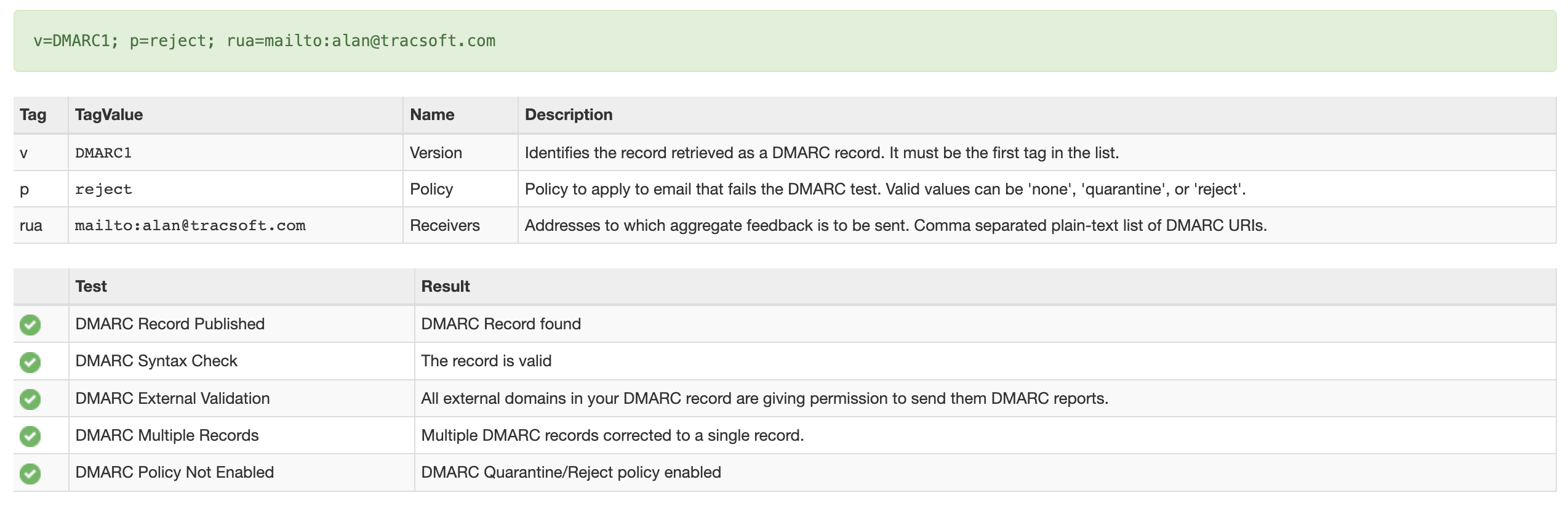
It will take a few hours for the update to take effect. You can verify the update is completed by visiting MXToolbox and entering your domain and selecting the DMARC Lookup.
If your DMARC was setup correctly, you will see green check marks.
How to set up SPF for Domain
We will add another TXT record to your domain.
- Login to your domain account
- Select the domain to manage and select the DNS records to update
- Click to Add a new record
- In the Type field, select TXT.
- In the Host field, enter @.
- In the Value TXT field, enter the following:
v=spf1 a mx -all
NOTE: If you are using Microsoft 365 or other service, they may have a specific setting. Review their documentation. - Click the Save button. Now you have added the record!

You can check the status of your update using the same tool at MXToolbox. Select the SPF Record from the dropdown.
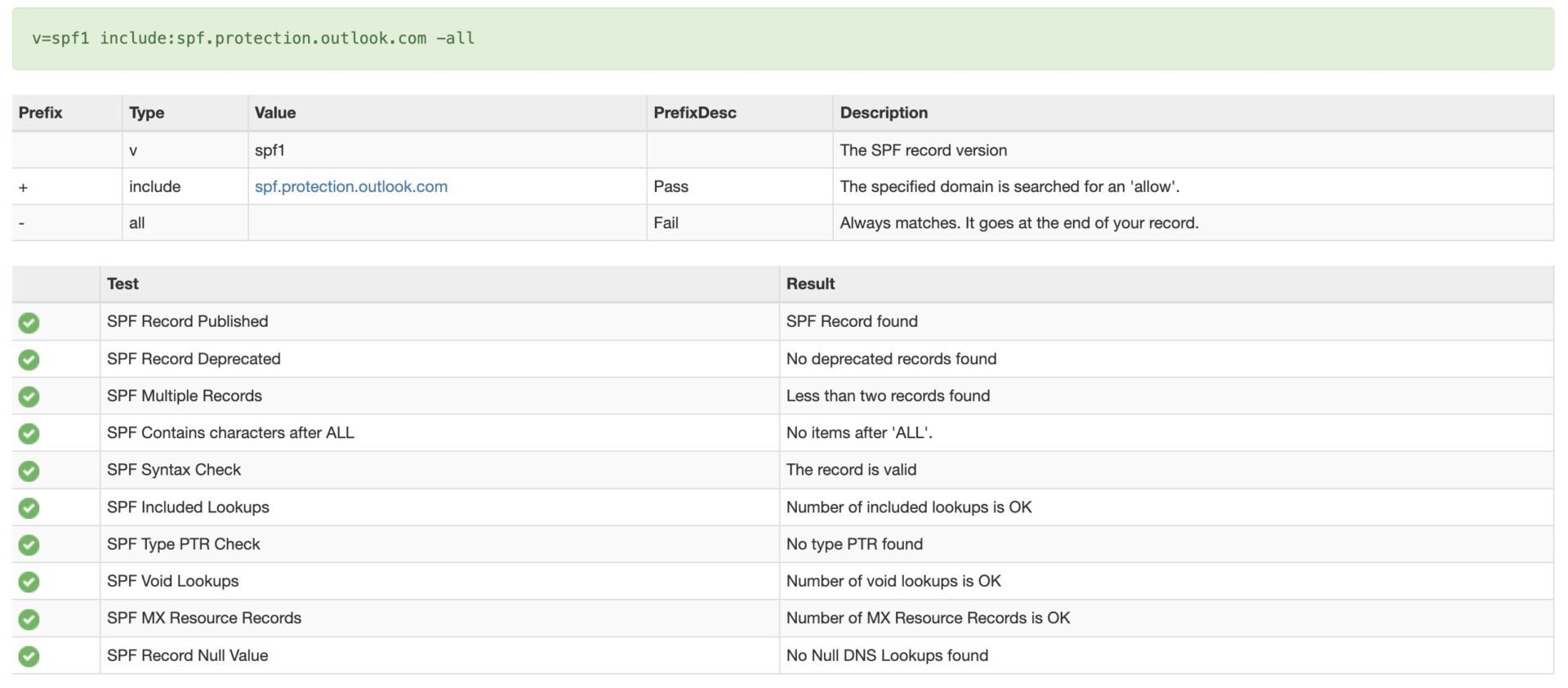
The Results of DMARC and SPF Updates
By making these two updates to your domain, you will ensure your email will get to your audience. It is certain that other email providers will enact the same rules that Google and Yahoo! have implemented. By getting your domain secure, you will be ahead of the curve and will not have your email get rejected or quarantined.
If you look at this and it looks daunting, we are here to help. We are the behind the scenes partner who is able to solve these challenges for you. If you would us to manage this for you, reach out and let us help.